# Obsidian-Style Memory

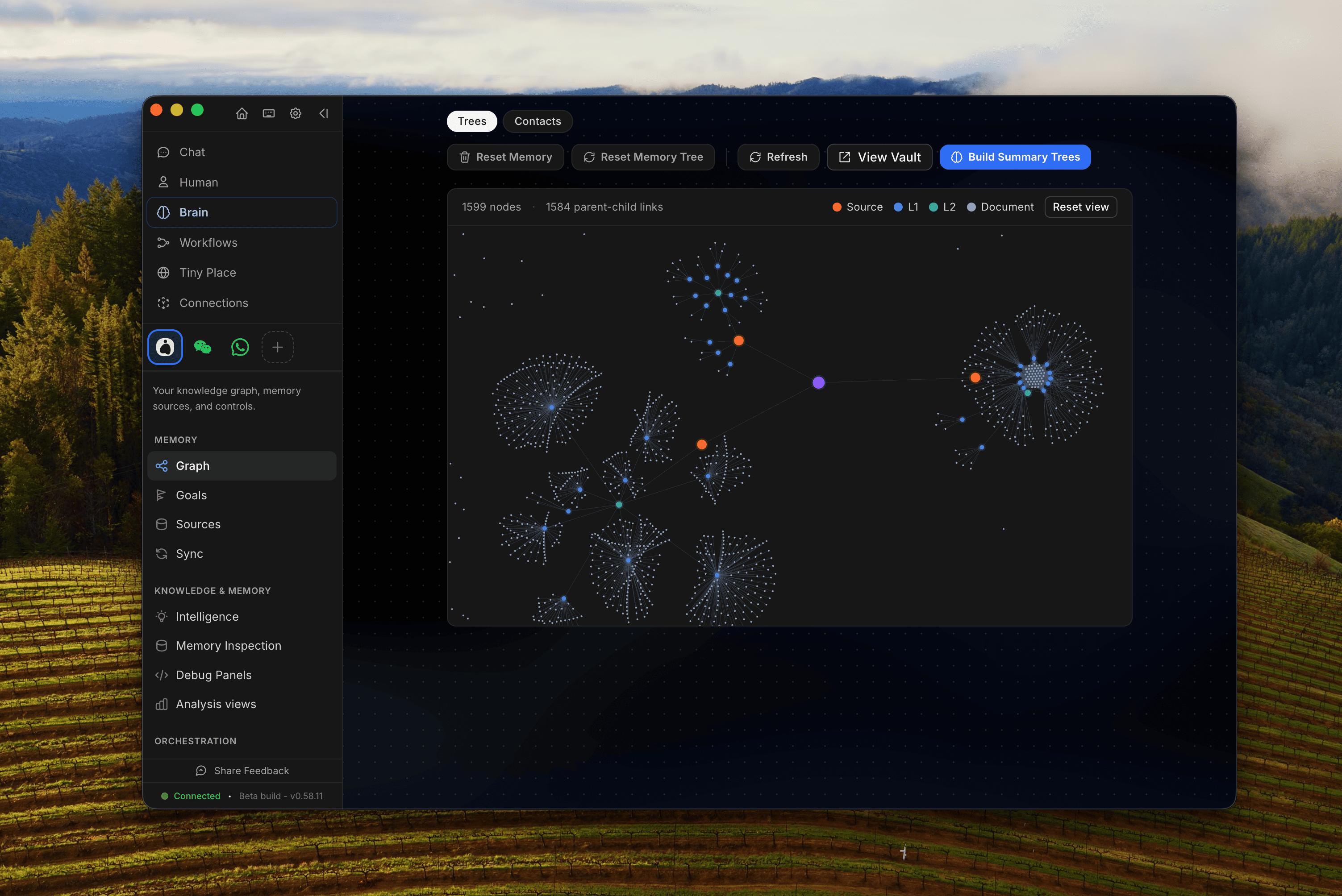
<figure><img src="/files/ZK00A9xUiAPBbqKt8vdF" alt=""><figcaption><p>A preview of the OpenHuman memory in Obsidian. Data from various sources (GMail, Slack, Whatsapp etc..) is organized as a memory tree.</p></figcaption></figure>

OpenHuman's memory is not a black box. The same chunks the agent reasons over are written as plain `.md` files into a vault inside your workspace. You can open it in [Obsidian](https://obsidian.md), browse it, edit it, and link notes by hand, and the agent will see your edits.

The design is directly inspired by [Andrej Karpathy's obsidian-wiki workflow](https://x.com/karpathy/status/2039805659525644595): a personal wiki where every interesting thing in your life ends up as a linkable note.

## Where the vault lives

```
<workspace>/
└── wiki/
 ├── summaries/ # auto-generated source / topic / global summaries
 ├── notes/ # your hand-written notes (free-form)
 └── … # one folder per connected toolkit you've connected
```

The `summaries/` folder is laid out hierarchically, by date for the global tree, by source for source trees, by entity for topic trees. Each file's frontmatter carries provenance (source ids, time range, scope) so the agent can trace any claim back to the chunks that produced it.

## Open the vault

In the desktop app, the **Memory** tab has a **"View vault in Obsidian"** button. It uses an `obsidian://open?path=...` deep link, so you need Obsidian installed.

You can also open the folder in any editor, it's just Markdown. Links between files use standard `[[wiki-link]]` syntax, so Obsidian's graph view, backlinks, and tag explorer all work out of the box.

## Editing notes by hand

Anything you put in `wiki/notes/` is fair game for ingest. The same pipeline that processes Gmail and Slack picks up your hand-written notes, chunks them, scores them, and folds them into the topic and global trees alongside everything else.

This means you can:

* Drop a meeting note in `wiki/notes/2026-05-08-board-call.md` and the agent will know the context tomorrow.
* Maintain a file per project, per person, per ticker, the topic tree treats your manual notes as just another source.
* Bulk-import an existing Obsidian vault: drop the `.md` files in and trigger ingest.

## Why this matters

You can't trust a memory you can't read. Most "AI memory" systems hide the state in opaque embeddings; OpenHuman's vault is the inverse, the agent's memory is **literally** a folder of Markdown you own. If the agent gets something wrong, you can find the file, fix it, and the next retrieval is correct.

It's also the cleanest possible export: stop using OpenHuman tomorrow and you keep a fully-formed personal wiki.

## See also

* [Memory Tree](/openhuman/features/obsidian-wiki/memory-tree.md). the pipeline that produces the vault.
* [Auto-fetch from Integrations](/openhuman/features/obsidian-wiki/auto-fetch.md). how the vault grows on its own.


---

# Agent Instructions: Querying This Documentation

If you need additional information that is not directly available in this page, you can query the documentation dynamically by asking a question.

Perform an HTTP GET request on the current page URL with the `ask` query parameter:

```
GET https://tinyhumans.gitbook.io/openhuman/features/obsidian-wiki.md?ask=<question>
```

The question should be specific, self-contained, and written in natural language.
The response will contain a direct answer to the question and relevant excerpts and sources from the documentation.

Use this mechanism when the answer is not explicitly present in the current page, you need clarification or additional context, or you want to retrieve related documentation sections.
